How AI-Powered Virtual Assistants Automate Enterprise Workflows in 2026?
Table of Contents
Subscribe To Our Newsletter
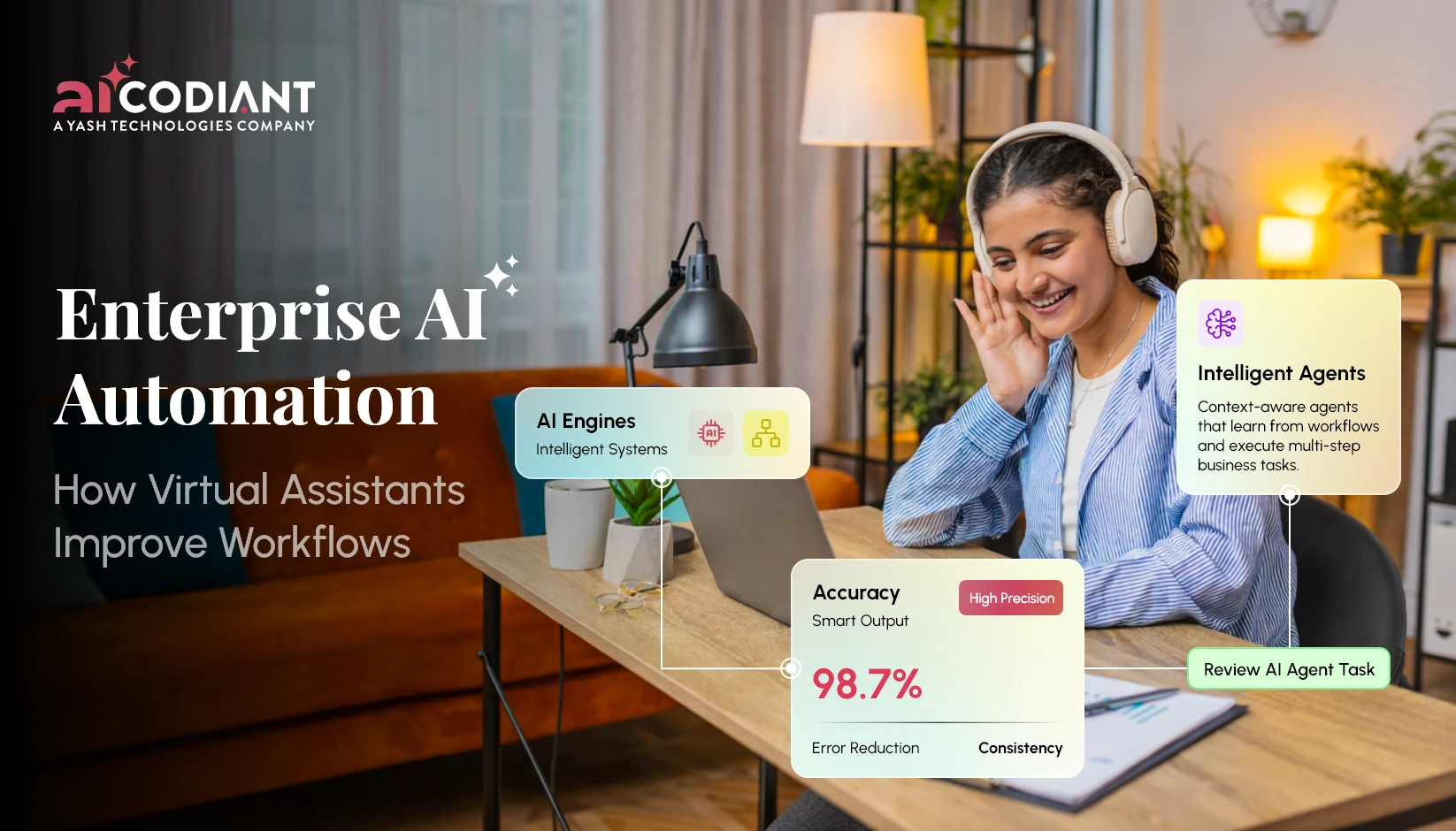
Enterprises are no longer asking if AI should be part of operations. The real question now is how deeply it can be embedded. And in 2026, one answer keeps showing up across industries- AI-powered virtual assistants.
Not the basic chatbots of the past. Not rule-based scripts. These are intelligent systems that understand context, execute tasks, integrate with enterprise tools and continuously learn from interactions.
The result? Workflows that used to take hours now happen in minutes. Sometimes seconds.
Let’s unpack what this actually means for modern businesses.
Why AI Virtual Assistants Are Becoming Core to Enterprise Operations?
There’s a shift happening. Enterprises are moving from fragmented tools to unified intelligence layers.
This is where AI virtual assistants for enterprises come in.
Think of them as operational orchestrators. Instead of employees jumping between dashboards, CRMs, emails & spreadsheets, the assistant becomes the single interaction layer.
You ask. It executes.
For example-
- A sales manager asks for pipeline status → AI pulls CRM data, summarizes insights & highlights risks
- HR requests candidate screening → AI filters resumes, ranks candidates & schedules interviews
- Finance teams need reports → AI generates real-time dashboards instantly
This isn’t just convenience. It directly impacts productivity. Employees spend less time navigating systems and more time making decisions.
And that’s where enterprise workflow automation AI starts to show real ROI.
Transform Workflows with AI Assistants
Automate complex enterprise workflows using AI assistants built for speed, accuracy, scalability, and real business impact.
What Enterprise Workflows Can AI Assistants Actually Automate?
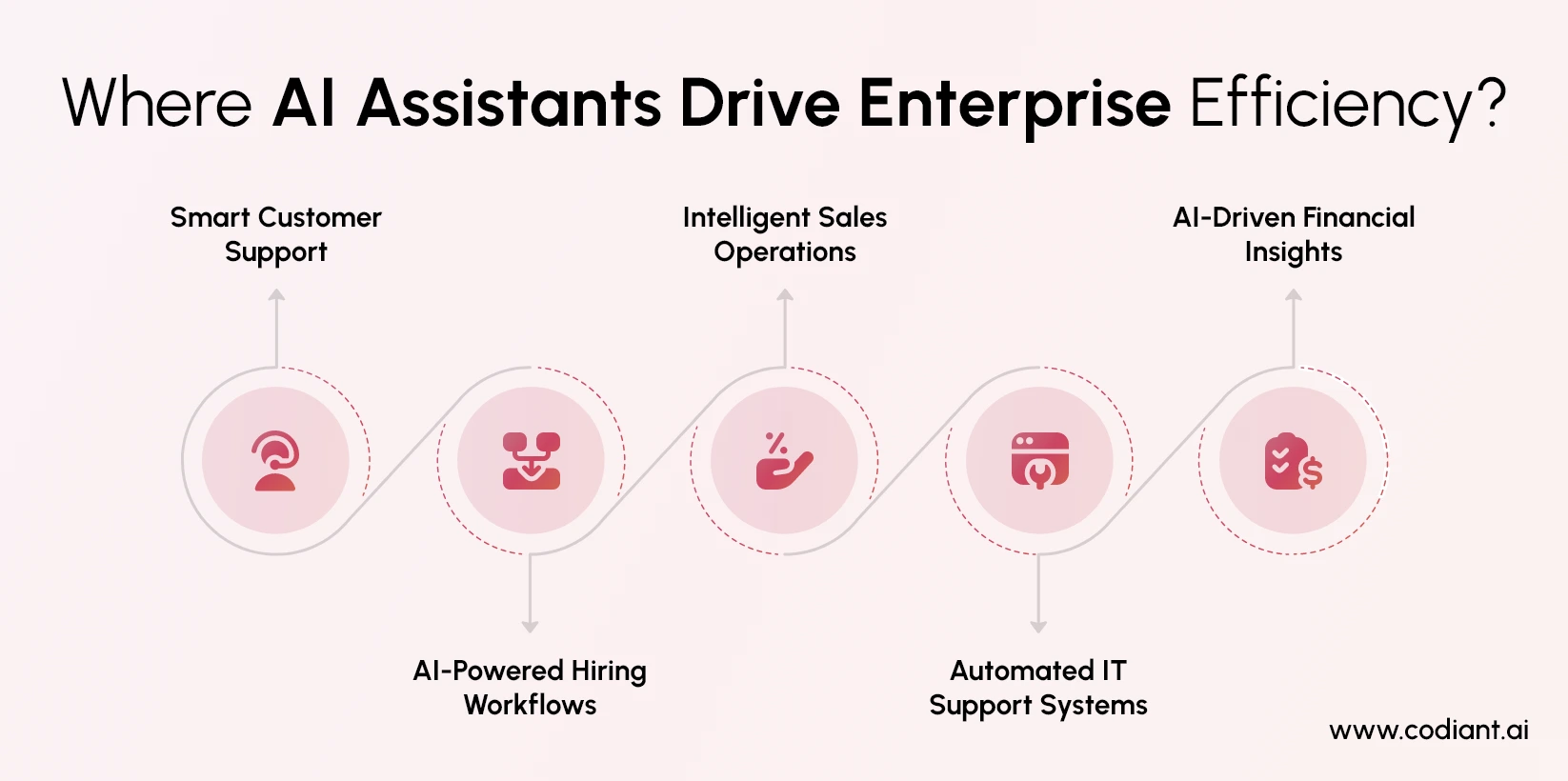
Short answer- more than most businesses expect.
Long answer- almost every repetitive, rule-driven, or data-heavy workflow.
- Customer Support Automation
AI assistants handle-
- Ticket resolution
- FAQ responses
- Complaint routing
- Order tracking
Modern AI chatbot enterprise workflows don’t just reply, they understand intent, escalate when needed & even predict issues before they arise.
- HR & Recruitment Workflows
This is one of the fastest-growing use cases.
AI assistants-
- Screen resumes using skill matching
- Conduct initial candidate interactions
- Schedule interviews automatically
- Analyze candidate responses
Enterprises using AI business process automation in HR are seeing faster hiring cycles and more consistent evaluations.
- Sales & CRM Operations
Sales teams benefit heavily from AI assistant for business operations.
Assistants can-
- Update CRM records automatically
- Generate follow-up emails
- Score leads using behavioral data
- Provide real-time deal insights
It’s like having a sales analyst embedded into every workflow.
- IT & Internal Helpdesk Automation
Instead of raising tickets and waiting hours-
Employees can ask AI assistants-
- “Reset my access”
- “Install required software”
- “Check system downtime”
The assistant executes or routes intelligently. This is where enterprise AI automation tools reduce internal friction dramatically.
- Finance & Reporting
AI assistants-
- Generate financial summaries
- Track expenses
- Flag anomalies
- Automate invoice processing
In finance-heavy enterprises, this level of enterprise AI automation solutions reduces manual errors and speeds up reporting cycles.
Read More: Implementing Agentic RAG in Enterprises
The Productivity Impact- What Actually Changes?
Let’s address the real business question.
Do these assistants actually improve productivity? Or is this just another tech trend?
Here’s what’s happening in real deployments-
- Tasks that took 30 minutes now take under 5
- Employees spend less time on repetitive coordination
- Decision-making becomes faster due to real-time insights
- Cross-team communication improves through centralized AI interfaces
The biggest shift isn’t automation alone. It’s cognitive load reduction.
People don’t need to remember systems. They just interact.
That’s where conversational AI for enterprises becomes powerful. It simplifies complexity into natural interaction.
Industries Leading AI Assistant Adoption
While adoption is spreading across sectors, some industries are moving faster than others.
Healthcare
AI assistants help with-
- Patient scheduling
- Medical documentation
- Virtual consultations
Finance & Banking
Use cases include-
- Fraud detection alerts
- Customer service automation
- Loan processing workflows
Retail & E-commerce
Assistants handle-
- Order management
- Customer queries
- Inventory tracking
Logistics & Supply Chain
AI assistants-
- Track shipments
- Optimize routes
- Automates vendor coordination
Real Estate & Property Management
They manage-
- Lead follow-ups
- Property inquiries
- Documentation workflows
These industries rely heavily on speed, data & coordination. Exactly where AI business process automation thrives.
How Secure Are AI Virtual Assistants in Business?
Security concerns are valid. Enterprises deal with sensitive data & automation adds another layer of risk.
But modern enterprise AI automation tools are built with strong security frameworks-
- End-to-end encryption
- Role-based access control
- Data anonymization
- Compliance with standards like GDPR, HIPAA, ISO
More importantly, enterprise-grade AI assistants operate within controlled environments. They don’t “learn randomly” from public data. They are trained on secure, curated datasets.
So yes, when implemented correctly, AI assistants are not just secure, but often more consistent than human-managed processes.
Cost of Enterprise AI Virtual Assistant Development
Let’s talk numbers, because this is where decision-making usually pauses.
The cost of AI virtual assistant development services varies based on-
- Complexity of workflows
- Number of integrations (CRM, ERP, APIs)
- Level of AI intelligence (rule-based vs generative AI)
- Deployment scale (single department vs enterprise-wide)
Typical ranges-
- Basic assistants- $10,000 – $30,000
- Mid-level enterprise assistants- $30,000 – $100,000
- Advanced AI-driven systems- $100,000+
But here’s the important context- ROI often outweighs cost within months.
When a system saves thousands of employee hours annually, the investment starts to justify itself quickly.
How AI Assistants Integrate with Enterprise Systems?
Integration is what makes or breaks adoption.
A standalone assistant has limited value. A connected assistant becomes powerful.
Modern enterprise AI automation solutions integrate with-
- CRM systems (Salesforce, HubSpot)
- ERP platforms (SAP, Oracle)
- Communication tools (Slack, Teams)
- HRMS and payroll systems
- Custom enterprise software
This creates a unified ecosystem where AI doesn’t just assist. It acts.
For example-
A user asks → AI fetches data → updates system → triggers workflow → sends confirmation
All within seconds.
Read More: How Much Does AI App Development Cost?
Key Features Every Enterprise AI Assistant Should Have
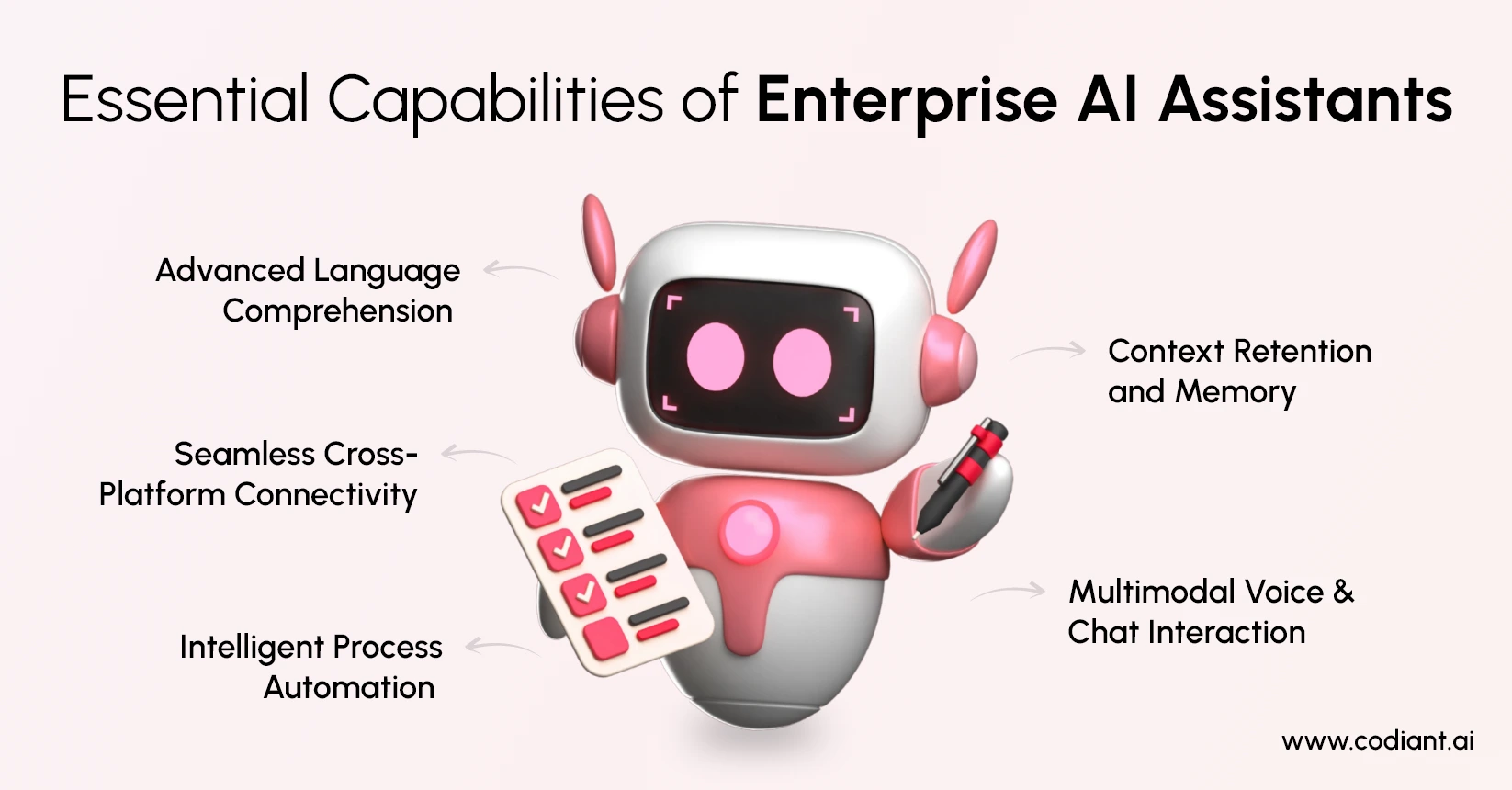
Not all assistants are created equal. The difference lies in capabilities.
A strong enterprise AI assistant should include-
- Natural Language Understanding (NLU)
- Multi-platform integration
- Workflow automation engine
- Context awareness and memory
- Real-time analytics and reporting
- Voice + chat capabilities
Especially with the rise of AI voice assistant for business, voice-based interactions are becoming more common in operations-heavy industries.
Development Timeline- How Long Does It Take?
Development timelines depend on scope, but here’s a realistic breakdown-
- Basic assistant- 4–6 weeks
- Mid-level enterprise assistant- 2–4 months
- Advanced AI-driven systems- 4–8 months
Most enterprises start small, then scale.
That approach works better than trying to automate everything at once.
Technologies Behind Modern AI Virtual Assistants
What powers these systems?
A mix of advanced technologies-
- Natural Language Processing (NLP)
- Large Language Models (LLMs)
- Machine Learning algorithms
- Speech recognition (for voice assistants)
- API integrations
- Cloud infrastructure
These technologies enable assistants to understand, learn & act, not just respond.
The Bigger Picture- From Automation to Intelligence
Here’s the interesting part.
AI assistants are no longer just automation tools. They’re becoming decision-support systems.
They don’t just execute workflows. They-
- Suggest actions
- Predict outcomes
- Identify risks
- Recommend optimizations
This is where enterprise workflow automation AI evolves into intelligent operations.
And businesses that adopt early gain a serious competitive edge.
How CodiantAI Can Power Your Enterprise Automation?
Codiant.AI helps enterprises move beyond basic automation by building intelligent, scalable AI assistants tailored to real business workflows. From strategy to deployment, every solution is designed for measurable impact.
- Custom AI virtual assistants for enterprises aligned with your operations
- Seamless integration with CRM, ERP, and internal systems
- Secure, compliant enterprise AI automation solutions
- Scalable architecture for long-term growth
Whether you need AI business process automation or conversational interfaces, Codiant.AI delivers solutions that drive efficiency, accuracy, and faster decision-making across your organization.
Conclusion
AI-powered virtual assistants are quietly reshaping how enterprises function.
Not by replacing teams. But by removing friction from everything teams do. From HR to finance, sales to IT, these systems are turning complex workflows into simple conversations.
That’s the real shift in 2026. And it’s only getting started.
Turn Manual Processes into Smart Automation
Eliminate repetitive tasks and boost productivity with intelligent AI automation tailored for modern enterprise operations today.
Frequently Asked Questions
They should support natural language understanding, integrations, workflow automation, analytics & multi-channel communication for seamless enterprise operations.
They connect via APIs to CRMs, ERPs, HR systems & communication tools, enabling real-time data exchange and automated task execution.
They reduce manual work, improve efficiency, speed up decision-making & enhance collaboration across departments through centralized AI-driven interactions.
Development typically takes 4 weeks to 6 months depending on complexity, integrations & the level of AI capabilities required.
They use NLP, machine learning, large language models, cloud infrastructure, APIs & speech recognition technologies to enable intelligent automation.
Featured Blogs
Read our thoughts and insights on the latest tech and business trends
Implementing Agentic RAG in Enterprises: Architecture, Challenges & ROI
- April 2, 2026
- Artificial Intelligence
In 2026, enterprises are no longer satisfied with static AI responses or generic large language model outputs. The demand has shifted toward systems that can think, retrieve, act and refine responses dynamically this is where... Read more
Enterprise AI Development Partner Checklist- What CTOs Should Evaluate Before Hiring
- March 27, 2026
- Artificial Intelligence
AI is no longer an experiment sitting in innovation labs. It’s driving revenue, optimizing operations, and shaping how enterprises compete. But here’s the real challenge choosing the right enterprise AI development partner. Because the difference... Read more
Agentic AI vs Generative AI- The Detailed Comparison Guide
- March 17, 2026
- Artificial Intelligence
In the past several years artificial intelligence has grown rapidly. Initially, the bulk of conversations was always about Generative AI tools that could write content, create images, summarize reports or generate code within seconds. But... Read more