Chatbot Integration with CRM, WhatsApp, and Websites: A Complete Guide for Businesses
Table of Contents
Subscribe To Our Newsletter
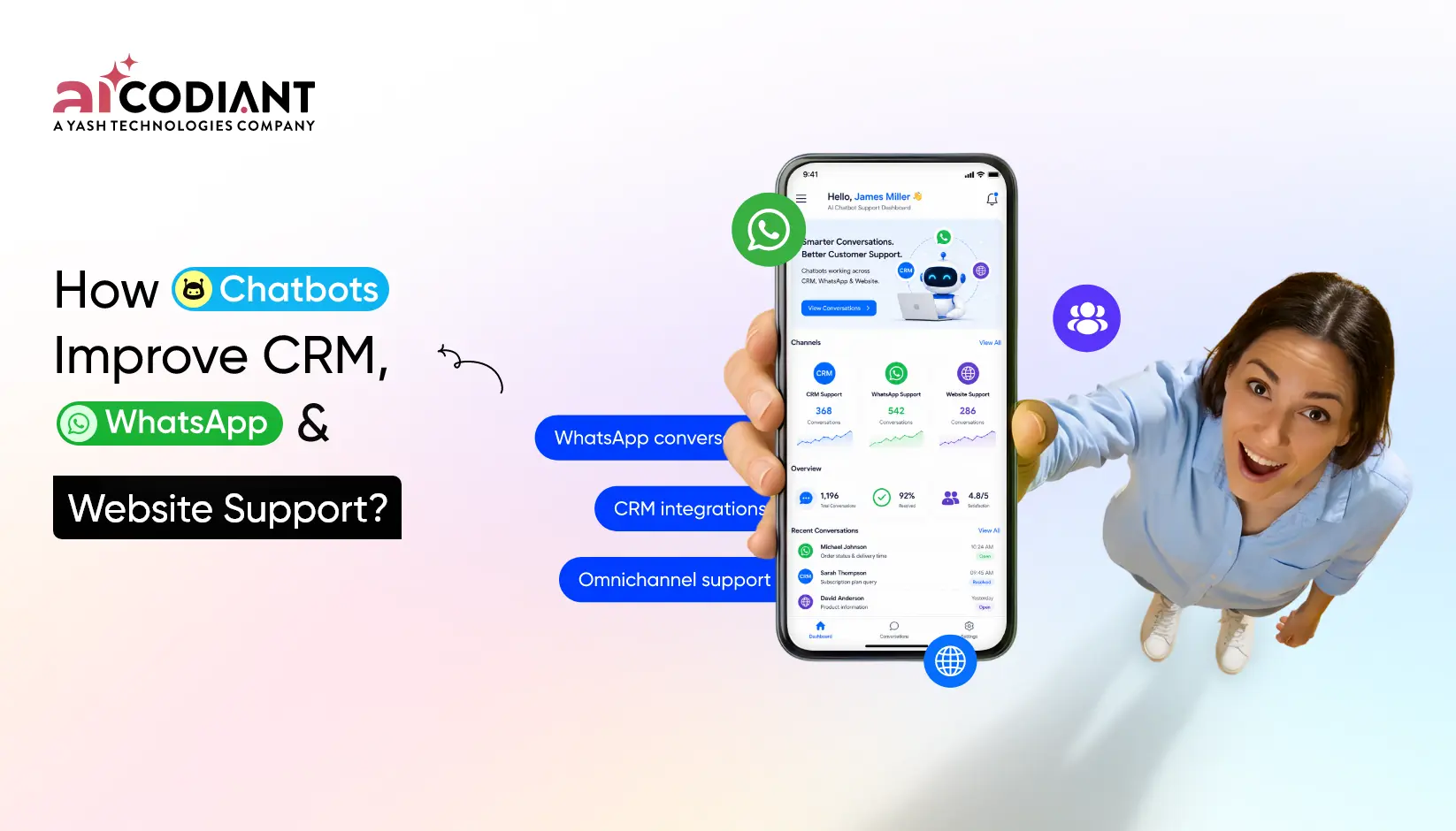
Chatbot integration connects AI-powered chat conversations with business systems such as CRM platforms, WhatsApp Business, websites, support tools and workflow automation software. Instead of answering questions in isolation an integrated chatbot can capture leads sync customer data, trigger follow-ups, create support tickets, qualify prospects and route conversations to the right team.
For businesses, the real value is not the chatbot itself. The value comes from what the chatbot can do after the conversation starts. A website chatbot can capture a visitor’s name, email, requirement budget and preferred contact time. A WhatsApp chatbot can continue that conversation on a familiar messaging channel. A CRM chatbot integration can then push the data into the sales pipeline so teams do not lose qualified opportunities.
In a Nutshell
- Chatbot integration connects conversations with CRM, WhatsApp, websites & support systems.
- CRM chatbot automation helps sales teams capture, qualify and assign leads faster.
- WhatsApp chatbot integration supports customer conversations on a familiar messaging channel.
- Website chatbot integration turns anonymous visitors into trackable sales or support records.
- Omnichannel chatbot solutions create one connected view across multiple customer touchpoints.
- Enterprise chatbot integration requires security access control, data mapping and testing.
- Chatbot workflow automation reduces repetitive manual tasks across sales and support teams.
What Is Chatbot Integration?
Chatbot integration is the process of connecting a chatbot with external systems so it can exchange data, trigger actions & support business workflows. These systems may include CRMs, WhatsApp Business, websites, helpdesk platforms, payment tools, calendars, marketing automation platforms and internal databases.
A standalone chatbot can answer simple questions. An integrated chatbot can act on those answers. For example, when a visitor asks for pricing, the chatbot can collect contact details, check the customer’s industry, create a CRM lead, notify the sales team and send a follow-up email.
This is why businesses increasingly look for AI chatbot integration services instead of only chatbot development. The goal is not only to automate replies. The goal is to connect customer conversations with measurable business outcomes.
How Do Chatbots Integrate with CRM Systems?
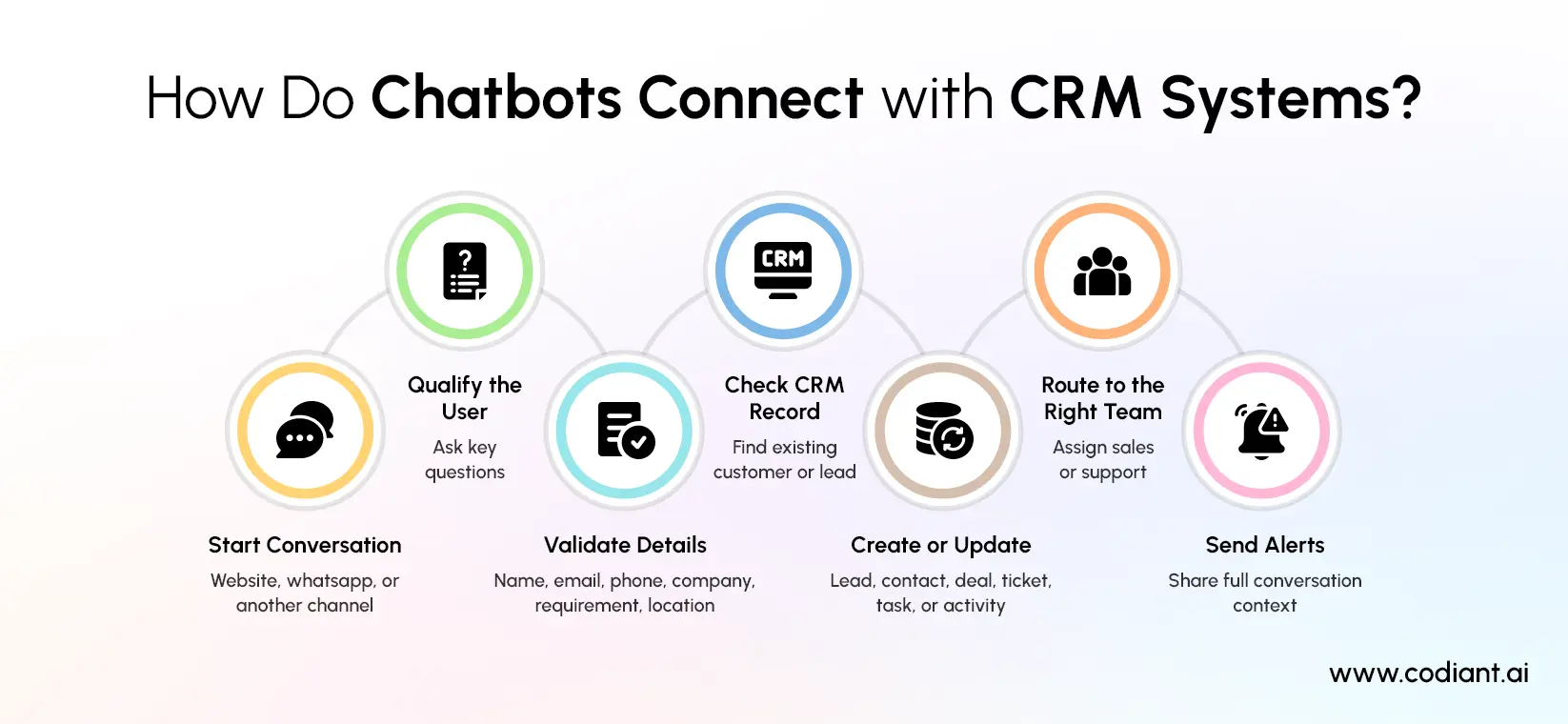
Chatbots integrate with CRM systems through APIs, webhooks, native connectors, middleware or custom backend workflows. The chatbot collects customer information during a conversation and sends that data to the CRM as a lead, contact, deal, ticket, task or activity record.
A typical chatbot CRM integration follows this flow:
- A user starts a conversation on the website, WhatsApp or another channel.
- The chatbot asks qualifying questions.
- The bot validates required fields such as name, email, phone number, company, requirement and location.
- The integration checks whether the user already exists in the CRM.
- The CRM is updated with a new or existing record.
- The system assigns the lead or ticket to the right team.
- Sales or support teams receive alerts with full conversation context.
CRM chatbot automation is especially useful for businesses that receive leads from multiple channels. Without integration, teams may manually copy chat details into spreadsheets or CRMs. That creates delays, duplicate records, missing data and poor follow-up visibility.
With integration, every qualified conversation becomes a structured CRM record. Sales teams can see where the lead came from, what the customer asked, what stage they are in and what action should happen next.
What Are the Benefits of Chatbot CRM Integration?
Chatbot CRM integration improves lead capture, response speed, data accuracy, customer segmentation and sales follow-up. It helps businesses move from disconnected conversations to structured customer records that teams can track, assign and act on.
Key benefits include:
| Benefit | How It Helps |
| Faster lead capture | Leads enter the CRM automatically after qualification |
| Better data quality | Required fields can be collected before record creation |
| Reduced manual work | Teams spend less time copying chat details |
| Higher sales visibility | Every chat can be linked to a contact, deal or activity |
| Better follow-up | Sales tasks, reminders and notifications can be triggered automatically |
| Stronger support context | Agents can view conversation history before responding |
| Cleaner reporting | Teams can track chatbot-generated leads and conversions |
The most important benefit is continuity. A customer should not have to repeat the same information when moving from chatbot to sales agent, WhatsApp to CRM or website chat to support ticket. Customer support chatbot integration gives teams the context they need to respond faster and more accurately.
Can Chatbots Work With WhatsApp?
Yes, chatbots can work with WhatsApp through the WhatsApp Business Platform or approved business messaging providers. A WhatsApp chatbot can receive messages, send automated responses, qualify customers, share updates, collect inputs and pass conversations to human agents when needed.
WhatsApp chatbot integration is useful because many customers prefer messaging over email or web forms. A business can use WhatsApp to answer product questions, confirm appointments, send order updates, qualify leads, collect feedback and support post-sale queries.
A typical WhatsApp chatbot integration includes:
- WhatsApp Business Platform setup
- Business verification and number configuration
- Message template creation where required
- Webhook setup for incoming messages and delivery updates
- Chatbot logic or AI model configuration
- CRM or helpdesk integration
- Human handoff rules
- Consent and opt-in management
- Testing across common customer journeys
The chatbot should not feel like a closed loop. If the user asks a complex question, requests a quote, shares a complaint or needs a human decision, the WhatsApp chatbot should transfer the conversation with full context.
How Does WhatsApp Chatbot Integration Work?
WhatsApp chatbot integration works by connecting WhatsApp Business messaging events with a chatbot engine and backend business systems. Incoming customer messages are received through webhooks, processed by the chatbot and then answered automatically or routed into CRM, support or sales workflows.
The workflow usually looks like this:
- A customer sends a WhatsApp message to the business.
- WhatsApp forwards the message event to the business server or messaging provider.
- The chatbot interprets the message and identifies the user’s intent.
- The bot responds, asks a follow-up question or calls an external system.
- The conversation data is stored or synced with the CRM.
- A human agent is added when escalation is required.
For example, a real estate company can use WhatsApp chatbot integration to answer property questions, collect location preferences, qualify budget, schedule site visits and push the lead into CRM. A healthcare business can use it for appointment reminders and basic intake flows. An ecommerce brand can use it for order status, return queries and product recommendations.
The exact workflow depends on the use case, compliance requirements, message volume and CRM setup.
How Do Website Chatbots Capture Leads?
Website chatbots capture leads by starting conversations with visitors, asking qualification questions, collecting contact details and sending that information to a CRM or marketing system. A good website chatbot integration turns anonymous traffic into structured sales opportunities.
The lead capture process usually includes:
- Visitor greeting based on page or intent
- Need identification
- Name, email, phone, company or location capture
- Budget or timeline qualification
- Product or service interest mapping
- Consent collection where needed
- CRM lead creation
- Sales notification or calendar booking
A chatbot for lead generation works best when it is aligned with page intent. A pricing page chatbot should ask different questions than a blog page chatbot. A services page chatbot may ask about project type, timeline and required features. A careers page chatbot may route visitors to recruitment workflows instead of sales.
The strongest website chatbot integration does not interrupt every visitor with the same message. It uses page context, user behavior, campaign source and conversation history to make the interaction more relevant.
What Are Omnichannel Chatbot Solutions?
Omnichannel chatbot solutions connect customer conversations across channels such as websites, WhatsApp, mobile apps, social messaging platforms, live chat and support portals. The purpose is to create one connected customer experience instead of separate conversations scattered across different tools.
For example, a customer may first visit a website, ask a product question through live chat, continue the discussion on WhatsApp and later raise a support request. In an omnichannel setup, the business can connect these interactions to the same customer profile.
This matters because customers rarely think in channels. They think in problems. They expect the business to remember the conversation, regardless of where it started.
Omnichannel chatbot solutions usually require:
- Unified customer identity
- CRM or customer data platform integration
- Channel-specific message handling
- Conversation history storage
- Human handoff rules
- Support ticket creation
- Lead routing logic
- Reporting dashboards
For enterprise chatbot integration, omnichannel design is often more important than chatbot scripting. The business needs to decide how conversations move between channels, teams and systems without losing context. Integrating AI data analytics for businesses can further help organizations analyze these interactions, identify customer behavior patterns and improve chatbot performance across every touchpoint.
Which CRM Platforms Support Chatbot Integration?
Many major CRM platforms support chatbot integration through native tools, APIs, marketplaces, webhooks or third-party connectors. Common examples include Salesforce, HubSpot, Zoho CRM, Microsoft Dynamics 365, Freshsales, Pipedrive and Zendesk Sell.
The right CRM depends on the business model, sales process, data structure, support requirements and integration complexity.
| CRM Platform | Common Chatbot Integration Use Case |
| Salesforce | Lead creation, service automation, case routing, agent handoff |
| HubSpot | Website chatflows, lead qualification, inbox routing, contact updates |
| Zoho CRM | SalesIQ chat, visitor tracking, lead creation, chat transcript sync |
| Microsoft Dynamics 365 | Customer service automation, omnichannel routing, Copilot agent workflows |
| Pipedrive | Deal creation, sales task automation, pipeline updates |
| Freshsales | Lead routing, contact enrichment, support and sales workflows |
| Zendesk Sell | Support-led sales conversations and customer context management |
Before choosing a CRM chatbot automation approach, check whether the CRM supports the required objects, fields, permissions, API limits and workflow triggers. A simple lead form sync may be quick. A two-way enterprise chatbot integration with custom objects, territory routing, consent records and reporting may require deeper planning.
What Workflows Can Chatbots Automate?
Chatbot workflow automation can automate repetitive sales, support, marketing and operations tasks that depend on structured customer inputs. The chatbot becomes the front-end conversation layer, while the integrated systems execute the backend workflow.
Common chatbot workflow automation examples include:
- Create a CRM lead after qualification
- Assign leads based on region, product or budget
- Book meetings through calendar integration
- Create support tickets from chat conversations
- Send WhatsApp follow-up messages
- Trigger email nurture sequences
- Update deal stages after customer responses
- Route refund, cancellation or complaint requests
- Collect feedback after service completion
- Notify internal teams through Slack, Teams or email
The best workflows are rule-based, measurable and easy to audit. Avoid automating complex decisions too early. Start with high-volume repetitive tasks, then expand into advanced AI workflows after reviewing performance.
What Are the Security Considerations for Chatbot Integrations?
Security is critical because chatbot integrations often handle personal data, contact details, purchase intent, support issues and sometimes sensitive business information. A secure integration should control what data is collected, where it is stored, who can access it and how it moves between systems.
Important security considerations include:
- User consent and opt-in management
- Role-based access control
- API authentication and token security
- Data encryption in transit and at rest
- Secure webhook validation
- CRM permission mapping
- Audit logs for data changes
- Data retention rules
- Human handoff controls
- Compliance review for regulated industries
Businesses should also define what the chatbot must not collect. For example, a sales chatbot may need contact information and project requirements, but it may not need payment card details or sensitive identity documents.
For enterprise chatbot integration, security should be planned before development begins. Retrofitting access control, consent logic and audit trails after launch can create avoidable risk.
How Long Does Chatbot Integration Take?
Chatbot integration can take a few weeks for a simple website lead capture flow and several months for a complex enterprise chatbot integration. The timeline depends on the number of channels, CRM complexity, workflow rules, AI requirements, compliance needs and testing depth.
A practical timeline estimate:
| Integration Type | Typical Scope | Estimated Timeline |
| Basic website chatbot | FAQs, lead form, email notification | 2–4 weeks |
| Website + CRM integration | Lead capture, CRM sync, routing | 4–8 weeks |
| WhatsApp chatbot integration | WhatsApp setup, bot flow, CRM sync | 6–10 weeks |
| Omnichannel chatbot solution | Website, WhatsApp, CRM, support tools | 8–16 weeks |
| Enterprise chatbot integration | Custom workflows, security, reporting, multiple systems | 3–6 months or more |
These are planning estimates, not guaranteed timelines. An accurate delivery plan requires a review of the CRM setup, data fields, integrations, approval workflows, user journeys and compliance requirements.
How to Plan a Successful Chatbot Integration
A successful chatbot integration starts with business workflow design, not chatbot scripts. The team should define what the chatbot must capture, which system receives the data, what happens after each response and when a human agent should take over.
Use this planning checklist-
- Define the primary goal- lead generation, support, booking, sales qualification or customer service.
- Choose the channels- website, WhatsApp, mobile app, social messaging or all of them.
- Map the data fields required by the CRM.
- Identify duplicate detection rules.
- Define lead scoring or ticket priority logic.
- Decide handoff rules for human agents.
- Prepare fallback responses for unclear questions.
- Set consent and privacy requirements.
- Test common conversation paths.
- Measure outcomes after launch.
The most common mistake is building a chatbot before cleaning the workflow. If lead assignment rules, CRM fields and support ownership are unclear, the chatbot will only automate confusion.
Why Businesses Choose AI Chatbot Integration Services
Businesses choose AI chatbot integration services when they need more than a basic chat widget. A professional integration team can connect the chatbot with CRM, WhatsApp, websites, support tools, analytics systems and backend applications while keeping security and scalability in view.
AI chatbot integration services are useful when-
- The chatbot must sync data with multiple systems.
- The CRM has custom fields or complex workflows.
- WhatsApp Business setup is required.
- The business needs human handoff and ticket routing.
- The chatbot must support multiple departments.
- Data privacy, consent or compliance controls are important.
- Reporting must show lead source, conversion and resolution metrics.
For small teams, a no-code chatbot may be enough to answer FAQs. For growing companies, CRM chatbot automation and omnichannel chatbot solutions can create stronger sales visibility and better customer experience.
Read more: Best AI Chatbot Development Companies in USA for 2026
Conclusion
Chatbot integration with CRM, WhatsApp and websites helps businesses turn conversations into structured, trackable actions. A chatbot can answer questions, but an integrated chatbot can capture leads, update CRM records, create support tickets, automate follow-ups and keep customer context connected across channels.
The strongest results come from clear workflow planning. Decide what the chatbot should collect, where the data should go, who should act on it and when a human should step in. Once those rules are defined, chatbot CRM integration, WhatsApp chatbot integration and website chatbot integration can work together as one connected customer engagement system.
For businesses that want scalable automation, enterprise chatbot integration should be treated as a workflow and data project first. The chatbot is the interface. The integration is what creates measurable business value.
Ready to Connect Your Chatbot With Every Customer Touchpoint?
Build CRM, WhatsApp and website chatbot workflows that capture leads, support customers and automate follow-ups.
Frequently Asked Questions
Chatbots can be integrated with CRM platforms such as Salesforce, HubSpot, Zoho CRM, Microsoft Dynamics 365, Pipedrive, Freshsales and Zendesk Sell. The integration method depends on the CRM’s API, available connectors, field structure, permission model and workflow automation features.
WhatsApp chatbot integration connects WhatsApp Business messaging with a chatbot engine and backend systems. Customer messages are received, interpreted, answered and then synced with tools such as CRM, helpdesk or workflow automation platforms.
Yes, chatbots can sync customer data automatically when they are integrated with a CRM or database. They can create or update contacts, leads, tickets, deals, tasks and conversation records based on the information collected during the chat.
Chatbot integrations should include consent management, secure APIs, webhook validation, encryption, access control, audit logs, retention rules and CRM permission mapping. The chatbot should only collect data that is required for the defined business workflow.
A basic chatbot integration may take two to four weeks, while CRM, WhatsApp and omnichannel chatbot solutions may take several weeks or months. The final timeline depends on workflow complexity, channels, CRM setup, security requirements and testing scope.
Featured Blogs
Read our thoughts and insights on the latest tech and business trends

RAG vs Fine-Tuning: Which Approach Is Right for Your Enterprise AI Knowledge System?
- September 24, 2026
- Artificial Intelligence
Retrieval-Augmented Generation (RAG) and fine-tuning are the two primary methods for customizing a Large Language Model (LLM) with an enterprise's own knowledge. RAG connects a general-purpose LLM to an external knowledge base at query time,... Read more
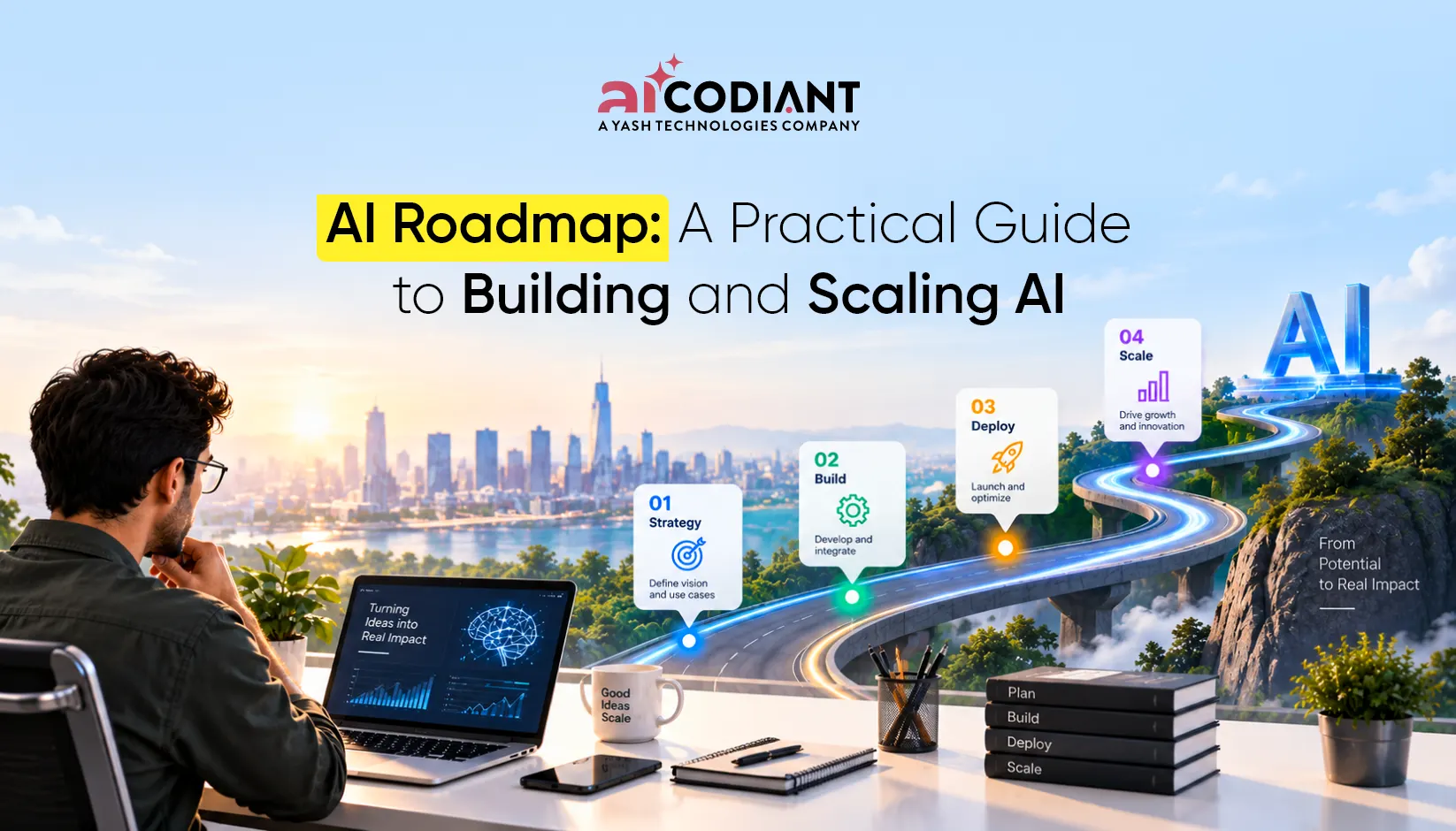
AI Roadmap: How to Build and Scale AI Across the Enterprise
- September 17, 2026
- Artificial Intelligence
An AI roadmap is a structured plan that connects business priorities with AI use cases, data, technology, governance, people, implementation, and measurable outcomes. For enterprises, it provides the sequence for moving from AI opportunities and... Read more

Top Predictive Analytics Models and Algorithms to Know
- September 11, 2026
- Artificial Intelligence
Predictive analytics models are statistical and machine learning systems that use historical data to forecast future outcomes, such as customer churn, equipment failure, demand spikes, or credit risk. The most widely used categories are regression... Read more